Best AI Mecha Transformation Prompts: Carrot, Bike, Dog and Car
 AI Mecha Transformation Team
Copy-paste mecha transformation prompts that hold up in a real render: the four-part anatomy every working prompt shares, versions for a carrot, a bike, a dog and a car, and the clause that stops the armour turning generic.
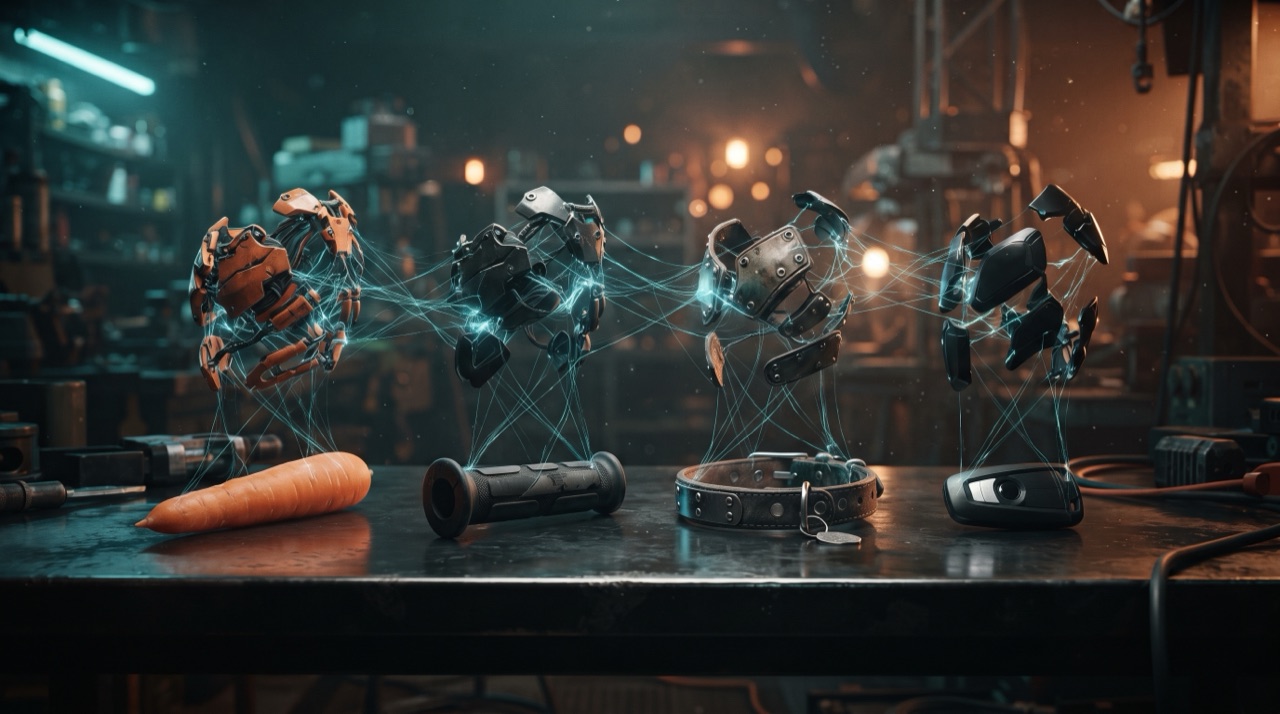
Best AI Mecha Transformation Prompts: Carrot, Bike, Dog and Car
A prompt that produces a good mecha transformation is not a list of cool words. It is a short specification with four parts, and the fourth part is the one everybody forgets. Below are the working prompts for the four triggers people actually use — carrot, bike, dog and car — followed by the clauses that change specific things, so you can build your own without starting from a blank box.
Before any of that, one rule that decides more outcomes than vocabulary: one dominant action per clip. The generated frames are finite. Ask for a touch, a turn, a step and a power-up together and the model spreads the same budget across four demands, and none of them reads.
The four-part anatomy of a working prompt
| Part | What it does | Example clause | | -------------------- | -------------------------------------------------------------------------- | ------------------------------------------------------------------------------- | | Subject lock | Pins identity so the armour adds structure instead of replacing the person | "Keep the face, hairstyle, skin tone and build exactly as photographed" | | Trigger + one action | Gives the shot a beat and a reason for the armour to appear | "They touch the carrot against the other palm" | | Assembly order | Makes the transformation mechanical instead of a fade | "Plating erupts from the wrist, chest plate rises and locks, visor closes last" | | Style and delivery | Camera, light and format constraints | "One continuous shot, vertical 9:16, no text, cinematic teal-and-orange" |
Part one is not decoration. Without it you get an armoured figure that looks nothing like the upload — which reads as a robot clip rather than a transformation.
Prompt 1 — the carrot (the canonical fruit touch)
Transform the person in this photo into a mecha suit wearer. One continuous shot, vertical 9:16, no cuts: they hold a bright orange carrot in one hand at chest height, then touch it against the other palm. At the moment of contact, liquid chrome plating erupts from the wrist and sweeps up the forearm in overlapping hexagonal scales, the chest plate rises and locks with hydraulic pistons, shoulder pauldrons snap down over the collarbones, and a full-face visor folds closed with a cyan glow behind the glass. Keep the face, hairstyle, skin tone, build and clothing colour exactly as photographed. One dominant action only, no second character. Cinematic teal-and-orange light, wet metallic reflections, mechanical assembly sound, no text, no watermark, no extra limbs.
Why it works: the object is small and bright, the hand clears the frame for the first plates, and every clause names something visible. The full text is one of the four presets in the studio, so you can also just select it.
Prompt 2 — the bike (rain, sparks, helmet last)
Transform the person in this photo into a mecha rider. One continuous shot, vertical 9:16: they grip the handlebar of a parked motorbike at night in the rain, and armour plates slide in from the edges of frame, folding over the forearm, shoulder and torso with sparks and hydraulic hiss, a matte black chest plate latches with a heavy metallic clack, and the helmet builds last — the visor snaps shut and a thin orange strip ignites across it. Keep the face until the visor closes, and keep hairstyle, skin tone, build and clothing colour exactly as photographed. Rain and wet reflections, cinematic night lighting, engine and metal sounds, no text.
Two things are doing hidden work here. "Plates slide in from the edges of frame" gives the model a direction of travel, and "the helmet builds last" preserves the face for most of the clip — a face on screen for eight seconds anchors the whole render.
Prompt 3 — the dog (or any pet)
Transform the dog in this photo into a mecha warrior. One continuous shot, vertical 9:16: the dog stands in a garage, a chrome harness assembles over its back and shoulders, small hydraulic pistons lock onto the front legs, an angular visor folds down over the brow while the eyes stay visible, and the tail lifts at the end of the assembly. Keep the fur colour, markings, muzzle shape, ear shape and body proportions exactly as photographed — a real dog inside mechanical armour, never a biped, never a humanoid robot. One action, warm workshop light, no text, no watermark, no duplicated legs.
The identity clauses are longer for animals on purpose: fur markings, muzzle and ear shape are what make the pet recognisable, and "never a biped" prevents the classic failure where the model stands the dog up on two legs because armour usually goes on humanoids. More on the pet version in the pet-to-mecha guide.
Prompt 4 — the car
Transform the car in this photo into a robot. One continuous shot, vertical 9:16: on a wet industrial lot at dusk the car's bonnet lifts and folds back into a shoulder pauldron, the doors split outward into arm plates, the roof rises into a head with the headlights igniting as eyes, wheels tilt into leg joints, and the whole body stands upright while panels scrape and lock. Keep the car's paint colour, body shape, wheel design and headlight shape exactly as photographed — the same vehicle, transformed, not a different machine. One rising action, steam and light arcs, no readable badges, no text.
Same rule as the dog: name the paint colour and the headlights, because those are how a viewer confirms it is the same car. The full car workflow, including the parts that go wrong, is in the car-to-robot guide.
The prompts above are the real text the studio sends when you pick a preset.
Este clip: 30 créditos · 6 clips al mes por $39.90 (Pro), o 80 al año por $319
Swap clauses: change one thing at a time
Edit exactly one clause per render. Two changes at once and you cannot tell which one broke the clip.
| You want | Add this | Watch out for | | ---------------------- | ---------------------------------------------------------------------- | --------------------------------------------------------------------------------- | | Different palette | "Warm industrial orange and gunmetal, no red, no gold" | Naming a colour the model associates with a famous suit pulls the armour that way | | Slower build | "The assembly takes the whole clip, plates arrive one at a time" | Slower assembly needs the action kept minimal | | No glowing core | "Matte armour, unlit chest, no glowing circle, no reactor" | Without a light source the render needs stronger rim light | | More mechanical detail | "Visible hinges, exposed hydraulic pistons, panel seams, small sparks" | Too many named parts can clutter the chest | | Warmer setting | "Golden hour, hard sunlight, long shadows" | Backlight hides the face; keep the subject front-lit | | Group scene | — | Do not. One subject per render, always |
Six prompt mistakes, in the order they cost you credits
- Describing three actions. "Touches the carrot, turns to camera and walks forward" produces a blurred compromise.
- Omitting the identity clause. The single most expensive omission in this format.
- Naming a famous suit. You get that suit, and the clip stops being about your photo.
- Asking for a pose the photo does not show. The model invents hidden geometry and duplicates it — extra arms, a second shoulder.
- Writing the armour as vibes. "Epic mecha armour" gives the model nothing to render in sequence.
- Forgetting the format. Without "vertical 9:16" you can get a landscape render that you then have to crop, losing the framing the model chose.
Testing a prompt without burning the good credits
Prompts are cheap to test if you test them at the right tier: a 480p twelve-second render costs 5 credits, the standard 720p clip costs 10, and the 1080p default costs 30. Run 480p while you are still changing clauses, then render the winner once at delivery resolution. Failed renders refund to the balance they came from, so a technical failure is not a charge — but a successful render of a bad prompt is.
Credits come from a Google sign-in grant of 30 (one default render) or from daily check-ins of 10, 20, 30, then 10 for each of the next four days, one every 24 hours. Both routes are described on the pricing page.
FAQ
How long should a mecha transformation prompt be? Long enough to name the four parts and short enough that nothing contradicts. The presets run 90 to 130 words. Under 40 words usually means the assembly order is missing; over 200 usually means you have smuggled in a second action.
Should I write the prompt in English? Write it in English. The studio's prompts and the model's conditioning are English, and mixing languages in one prompt tends to drop clauses rather than add detail.
Can I reuse a competitor's prompt? You can reuse the structure — subject lock, trigger, assembly order, delivery. Names, brands and character references are a different problem, and they usually make the render worse, because the model has a strong prior for what that character looks like.
Do I need a prompt at all if I pick a preset? No. A preset fills the prompt box with the exact text above and sends it verbatim.
Why does my armour look like every other render? Because the prompt described armour in general and the model returned the most average mechanical shape it knows. Fixing the chest plate is the usual answer.
What is the fastest way to learn this? Render the carrot prompt as-is at 480p, then change one clause and render again. Two renders teach more than an hour of reading.
Copy any of these prompts into the studio and render at 480p while you tune the clauses, then once more at delivery resolution.