How to Cut an AI Mecha Transformation Video for TikTok, Reels and Shorts
 AI Mecha Transformation Team
Vertical 9:16 mecha clips for TikTok, Reels and Shorts: where the platform UI eats the frame, how to time the first plate closing, where to put the caption, and why the generated audio should stay.
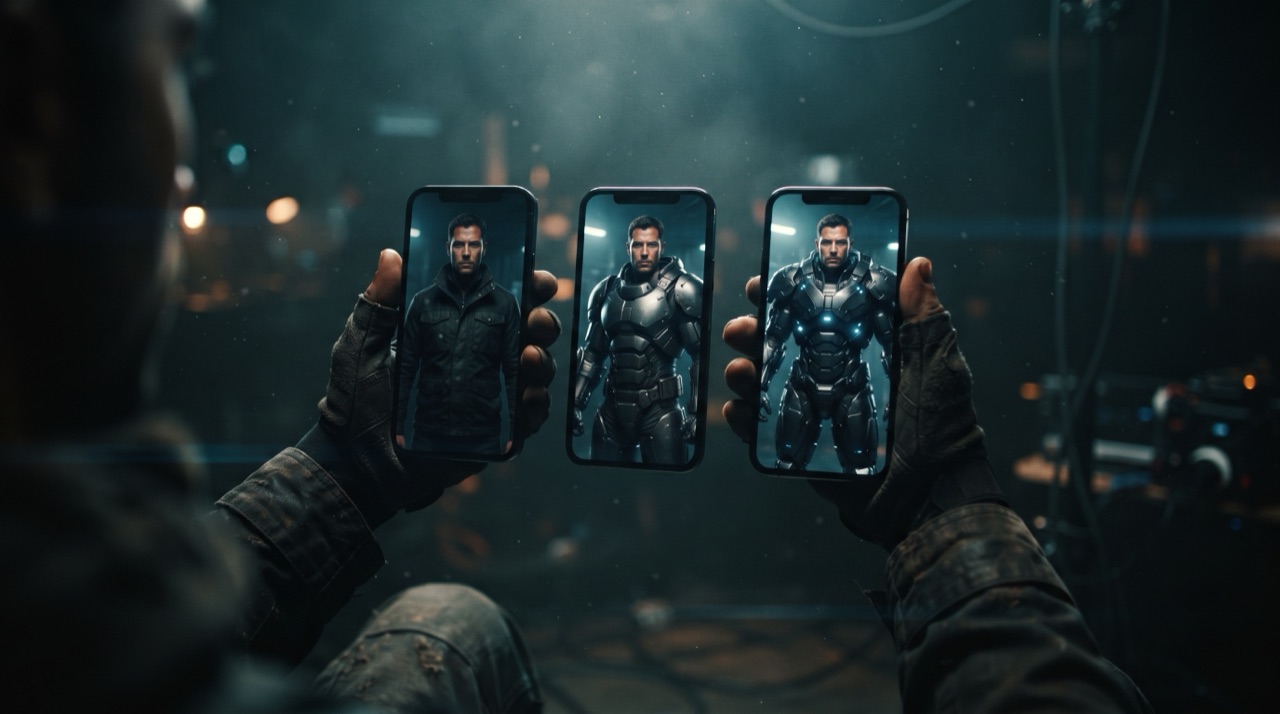
How to Cut an AI Mecha Transformation Video for TikTok, Reels and Shorts
The render is half the job. A mecha transformation is a timing format — the payoff is a specific moment when the helmet seats or the visor closes — and if the platform interface covers that moment, or the caption lands on the chest plate, the clip underperforms something objectively worse shot.
This page is the delivery half: how to frame 9:16 for the three short-form platforms, where the transformation beat should land, and the small decisions that separate a clip that reads in one scroll from one that reads as a still.
Why 9:16 is not negotiable
The studio renders vertical by default, and it should stay vertical all the way to publication:
- The transformation is a vertical event. Plates assemble up the body: wrist, forearm, shoulder, chest, head. A wide landscape frame puts most of that assembly in a thin band of pixels.
- The platform crop is already vertical. Publishing a landscape render to a vertical surface means either black bars or a crop that cuts the head off at the exact moment the visor closes.
- Faces are recognised faster in a tall frame. A vertical composition keeps the subject large, which is the whole reason the format works at thumbnail size.
The aspect ratio is selectable — 9:16, 16:9 and 1:1 — but for TikTok, Reels and Shorts, pick 9:16 and don't touch the crop afterwards.
Where the interface eats your frame
All three platforms overlay their own chrome on top of your clip. The exact insets change with app version and device, so the reliable rule is a margin budget rather than a pixel value.
| Zone | What sits there | What to keep out of it | | ---------------- | ------------------------------------------ | ----------------------------------------------------------------------- | | Bottom fifth | Caption text, music ticker, action buttons | Faces, the chest plate's final seating, captions you burned in yourself | | Right edge strip | Profile, like, comment, share | The transforming arm, hands, any object the subject is holding | | Top band | Search, app navigation on some surfaces | The helmet, if the helmet is the payoff | | Centre | — | Put the payoff here |
The practical composition that survives all three: subject centred horizontally, face in the upper-middle third, the assembly happening through the centre, dead space at the bottom for the platform's text. If your render put the subject's head at the very top of the frame, re-render rather than crop — a crop pulls the head down into the caption zone and squeezes the plate detail.
Timing the payoff
A twelve-second clip has room for exactly one beat, and the beat has to land where a viewer is still watching.
- Start with the trigger in frame. Opening on a person standing still costs you the first second; opening on the hand already moving toward the carrot buys it back.
- Close the first plate early. The first visible armour motion should appear within the first few seconds. It is the signal that this clip is a transformation and not a portrait.
- Land the helmet late. The visor closing is the natural punchline — the moment the face disappears behind glass. Put it in the last third.
- Hold the final frame. Do not cut on the last plate. A full second of assembled armour on screen gives the scroll a reason to stop and look back.
- Loop cleanly if you can. The last frame butting into the first is where repeat views come from.
If your render has the visor closing at second two, the prompt asked for the assembly to be too fast, or the clip is too short. Twelve seconds is the default and the length the presets are written for; a longer clip scales linearly in credits from that rate. The one-photo walkthrough covers how the prompt controls the order.
이 클립: 30크레딧 · 월 6편 $39.90(Pro), 또는 연 80편 $319
Audio: keep the render's own sound
The mechanical assembly sound is generated with the picture, not added after, and that is why it syncs. The plate seating produces a clack; the visor closure produces a lighter, sharper tick.
Practical rules:
- Do not strip the audio. A silent transformation looks like a GIF. The hydraulic sound is a large part of why the format reads as mechanical rather than animated.
- Do not stack a trending track on top at full volume. Either mix the original sound above the track, or use the track and keep the original as a subtle layer — total silence from the render is the worst of the options.
- Check the last second. If the render ends on a mechanical movement, the sound follows it, and cutting the video mid-sound leaves a clipped tail.
Captions, on the clip and in the field
The platform caption field is where the search value lives. The burned-in text is where the retention lives. They are different jobs.
- Caption field: describe the transformation plainly, once, using the phrase people search — an AI mecha transformation video made from one photo. No hashtag soup; the format is not obscure anymore, and stuffing does not help a vertical clip get served.
- On-clip text: at most one short line, placed in the upper third, stating the premise in three or four words. "One photo." "The carrot one." Anything longer competes with the transformation.
- Do not caption the payoff. Text over the visor closing is the single most common self-inflicted wound in this format.
- No fake urgency. No invented counts, no false scarcity. A clip that needs a lie to get a tap is not a clip you want in your feed profile.
Platform-by-platform notes
| Platform | Frame | Sound | Notes | | -------- | ---------------------------------------- | ------------------------------------------------- | ---------------------------------------------------------------------------------------- | | TikTok | Full-bleed vertical, heavy bottom chrome | Original audio preferred, trending sound optional | Duets and stitches suit the format; the transformation survives a stitch into a reaction | | Reels | Full-bleed vertical, caption lower third | Trending audio is a discovery surface | Keep the original sound audible underneath if you add a track | | Shorts | Vertical, strong bottom overlay | Original sound | Rewatch-heavy; the clean loop matters more than the caption |
There is no platform here where a landscape render, or a crop of one, beats the native 9:16 output.
A publish checklist
- Render 9:16 at the resolution you would publish. 720p standard is 10 credits, the 1080p default is 30.
- Watch it once on a phone, with the platform's UI visible. If the visor closure sits under the caption line, re-render with different framing.
- Confirm no watermark. There is not one at any tier — but check the file you are about to upload, not the one you downloaded last week.
- Keep the generated audio. Adjust the mix, do not delete the track.
- One on-clip line, upper third, four words maximum.
- Write the caption for search, not for hashtags.
- Hold the final frame for a beat before looping.
Full delivery specs and what each tier costs are on pricing; the platform-agnostic rules for the render itself are in the prompt library.
FAQ
Is a 9:16 render required, or can I crop a landscape one? Render vertical. The studio defaults to 9:16 for exactly this reason, and a crop from 16:9 loses the plate detail you paid for.
How long should the clip be for a feed? Twelve seconds, the default, and one beat. Anything longer needs a second action that a single prompt cannot carry reliably.
Should I add a trending sound? Optional, but never at the cost of the generated mechanical audio. The transformation's own sound is what makes the format feel physical.
Where exactly is the safe area? It changes with app version and device, so budget it: keep the face in the upper-middle third and the bottom fifth clear. That survives every layout change.
Does the render include music? No. Audio is mechanical and environmental — hydraulics, servo whine, metal. Music, if you want it, comes from the platform.
Do I need to remove a watermark before posting? No. Nothing rendered here carries a watermark, free credits or paid.
Can I post the same clip to all three platforms? Yes, and that is the point of rendering 9:16 to begin with. Write a separate caption field for each, because the search behaviour differs, but the file is the same.
Render vertical from the start at the studio and the delivery work shrinks to safe areas and one caption line.